
Simple VinoShipper Integration for WordPress: your cart, living inside your own site.
This Simple VinoShipper Integration for WordPress is seamless for wineries running VinoShipper as their online cart. We configure your VinoShipper ID for you; from there, products and club sign-ups drop onto any page with a shortcode. Built on VinoShipper's Injector v4.

Products on the page
A VinoShipper product list rendered inside a winery's own theme — no iframe, no redirect to a separate storefront.
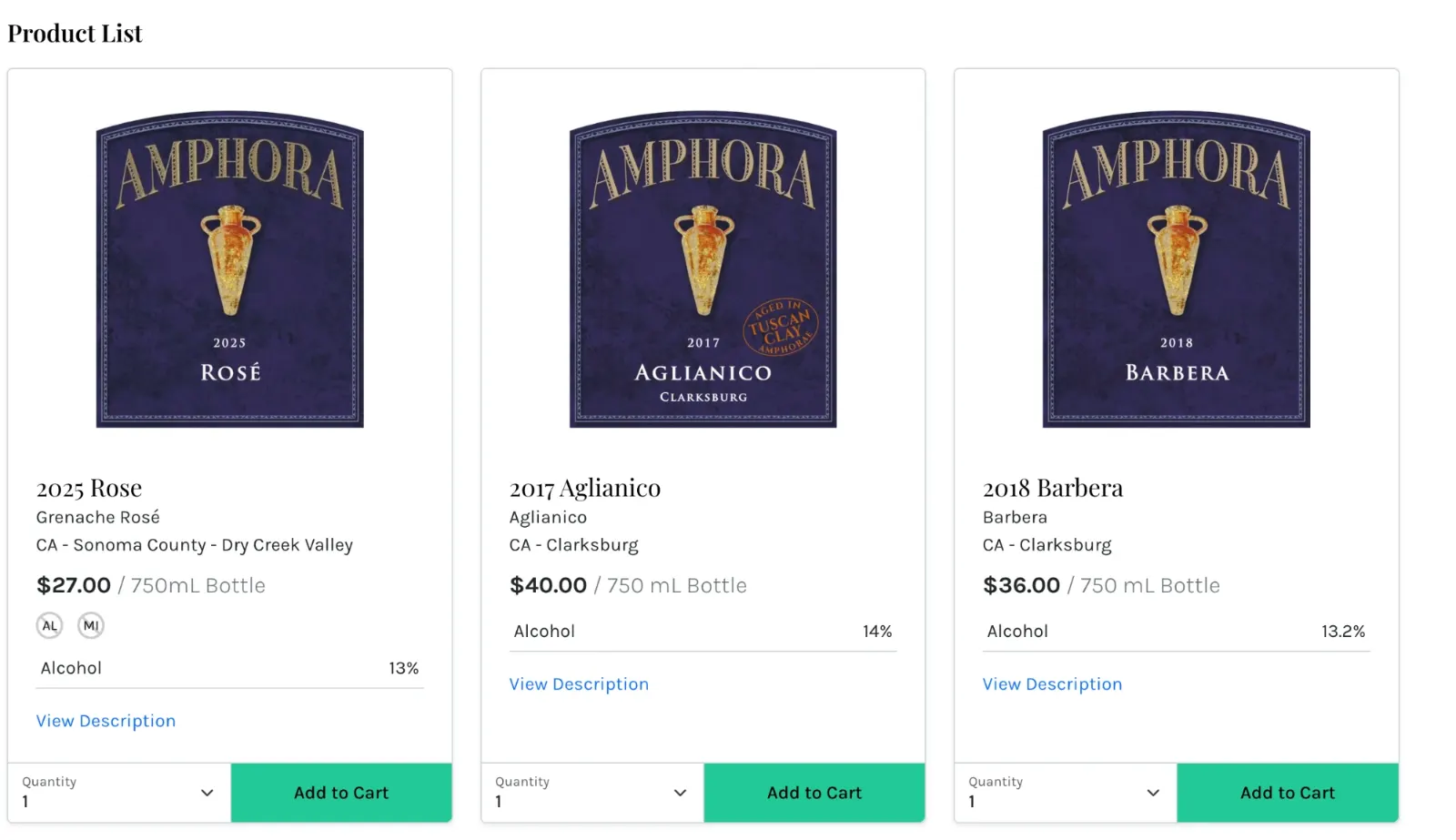
A Simple VinoShipper Integration for WordPress: one ID in, a working storefront out.
Built on Injector v4
Rebuilt for VinoShipper's Injector v4 release, with the legacy v3 scripts and stylesheets fully retired rather than carried along as dead weight.
Products and club sign-ups
Two content types, two shortcodes. Put your bottle list on the shop page and the club enrolment form on the club page, or combine them however your site is structured.
Different lists on different pages
The product shortcode takes parameters, so a collection you built in VinoShipper — library wines, a holiday set, allocations — can have its own page without duplicating anything.
Themes at a glance
Twelve display themes — blue through purple, teal, green, gray and black — laid out as a grid of colour indicators instead of a dropdown, so you can see what you're choosing before you save.
Dark mode
One checkbox switches the product display for sites built on darker backgrounds, so the cart doesn't arrive as a bright white block in the middle of your page.
Any page builder
Everything is delivered as shortcodes, so the Block Editor, Elementor, and any other builder that accepts a shortcode all render the same output. Nothing to configure per builder.
Put the store wherever you want it.
We install this Simple VinoShipper Integration for WordPress and configure your VinoShipper ID for you. After that, adding the shop to a page is one line — and because it's a shortcode, it works with every page builder.
[bbv_products grid="false"]
Your full catalogue as a list, styled by the theme you picked in settings. Set grid="true" for a grid instead.
[bbv_products list_id="1234"]
Any collection you've built in VinoShipper, on its own page — library wines, allocations, a holiday set.
[bbv_club]
The club enrolment form, inline on your own club page.
One shortcode per page — a VinoShipper limitation, not ours. The plugin's settings screen lists the tags and parameters for reference.
Make it look like your winery, not like a cart.
The whole point of running the store inside your own site is that it stops looking like a bolt-on. Twelve display themes and a dark mode cover the range, and the product list inherits your theme's typography either way.
The product display picks up your site's fonts as it renders, and anything beyond that lives in your theme or child theme — where your developer expects to find it.
Theme picker with swatches
Choose a VinoShipper display theme from a grid of colour indicators rather than reading names off a list.
Dark mode
A single checkbox for sites built on dark backgrounds, so the product display doesn't fight the rest of the page.
List or grid
The same products render as a vertical list or a grid depending on one shortcode parameter, so the shop page and a landing page can differ without extra work.
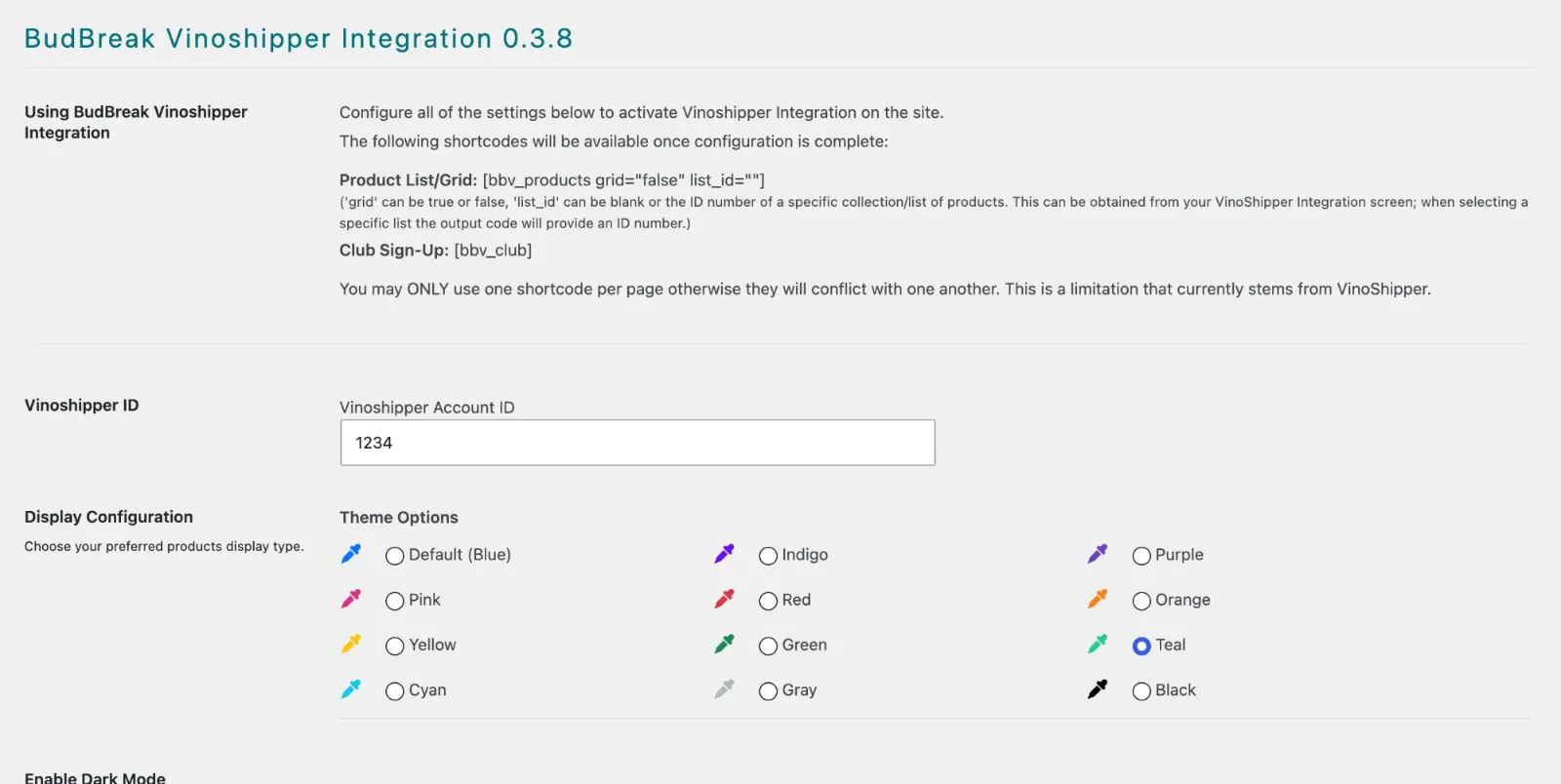
Inside the admin
One settings screen in WordPress. No second dashboard, nothing to sync.
The shortcodes and their parameters are documented at the top of the page, your VinoShipper ID sits in one field, and the twelve display themes are colour swatches rather than a dropdown — with dark mode a single checkbox below.
Technical Specifications
- WordPress
- 6.0 or newer
- Tested to
- WordPress 7.1
- Account needed
- An active VinoShipper ID
- Integration
- VinoShipper Injector v4
- Page builders
- Any builder that accepts a shortcode — Block Editor, Elementor, and the rest.
- Display
- 12 themes plus dark mode
BudBreak Client Exclusive
We install it, configure your VinoShipper ID, and keep it current as VinoShipper changes.